Agent Access
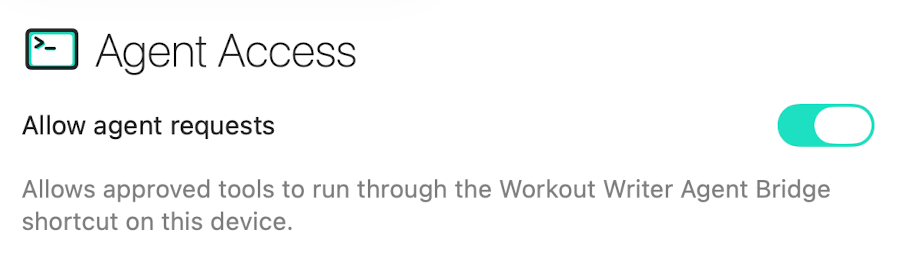
Agent Access lets local tools work with Workout Writer through a command-line bridge and local MCP server on your Mac. It is off by default, and you decide which tools can read or change your data.
The current release is Workout Writer CLI v1.1.1 for Apple silicon Macs.
The installer adds workout-writer to /usr/local/bin.
Before you start
You need:
-
Workout Writer installed on an Apple silicon Mac
- The Shortcuts app Download Shortcuts from the Mac App Store
Install the CLI
- Download and open the installer above.
- Follow the macOS installation steps.
- Open Terminal and confirm the command is available:
workout-writer --version
Install the bridge shortcut
The quickest option is to install the prepared shortcut:
Get the Workout Writer Agent Bridge shortcut
Open the link on your Mac, review the shortcut, then choose Add Shortcut. Keep its name as Workout Writer Agent Bridge so the CLI can find it.
Create the shortcut manually
If you would rather create it yourself:
- Open Shortcuts on your Mac and create a new shortcut.
- Add the Run Workout Writer Agent Request action.
- Set its Request parameter to Shortcut Input.
- Name the shortcut exactly
Workout Writer Agent Bridge. - Leave the shortcut with that single action.
On the first CLI request, macOS may ask whether the shortcut can output one text item. Choose Allow Always.
Enable Agent Access
- In Workout Writer, open Settings > Agent Access.
- Turn on Allow agent requests.
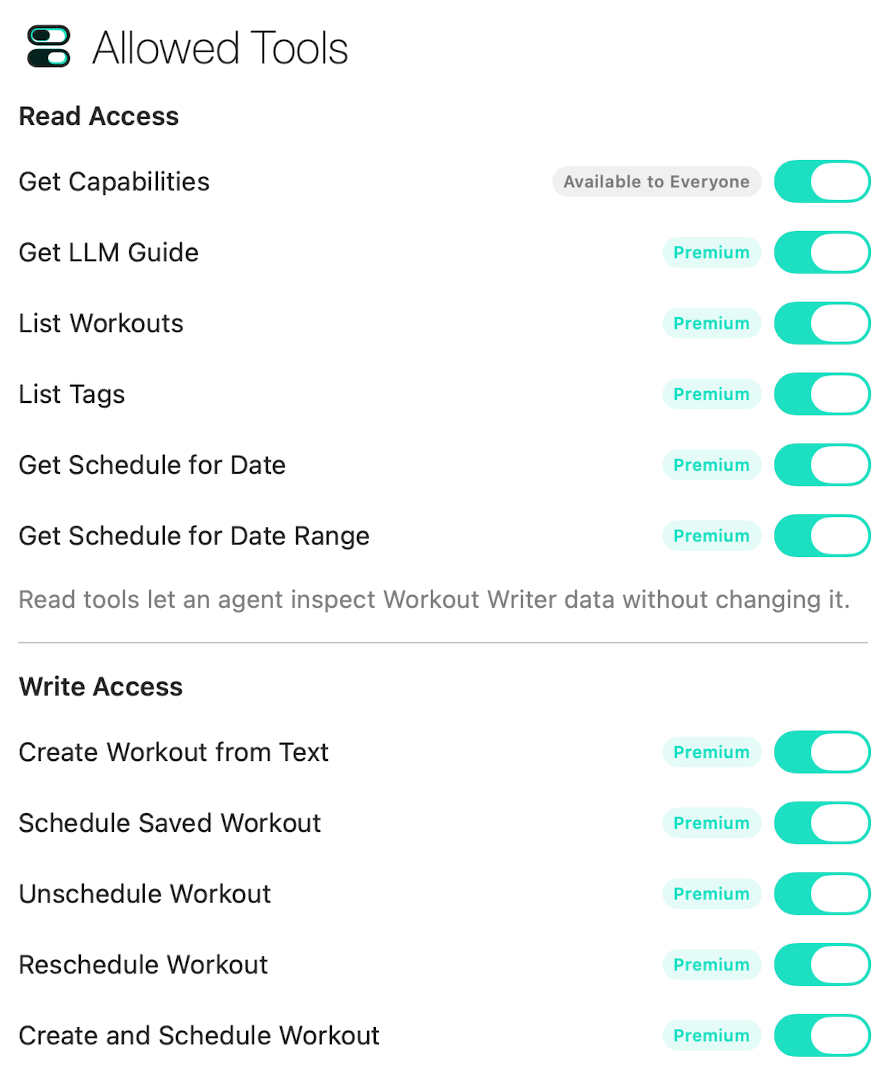
- Enable only the read or write tools you want to use.
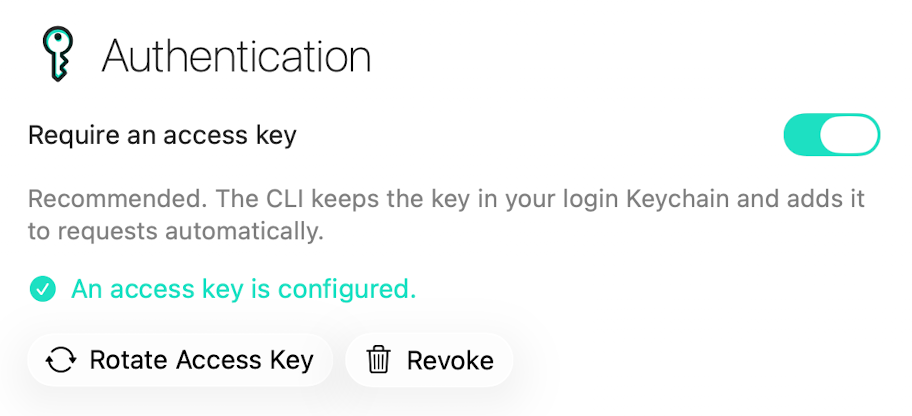
- Generate an access key.
- Store the key in your Mac login Keychain by running:
workout-writer auth configure
The prompt does not show the key as you type. The CLI reads it from Keychain when making a request, so an agent does not need to receive the key itself.
Check the connection
List the tools currently available from Workout Writer:
workout-writer tools
Fetch the personalised workout-writing guide used by Workout Writer:
workout-writer guide
workout-writer guide --activity running
workout-writer guide --activity cycling
The guide includes your configured tag names, allowing an agent to use terms that Workout Writer already understands.
Connect an MCP client
Workout Writer CLI v1.1.0 includes a local MCP server. Configure your MCP client to launch the installed command:
{
  "mcpServers": {
    "workout-writer": {
      "command": "/usr/local/bin/workout-writer",
      "args": ["mcp"]
    }
  }
}
The server asks Workout Writer for its current capabilities whenever the client lists tools. Only tools that are enabled and available in Settings > Agent Access are exposed.
You can also run the server directly over standard input and output:
workout-writer mcp
Access and safety
- Agent Access is blocked until you enable it.
- Write tools must be enabled individually.
- Scheduling through Agent Access is currently Garmin-only.
- Garmin scheduling tools can schedule, unschedule, or move a scheduled workout to another date.
- The CLI communicates with Workout Writer through the shortcut and a versioned App Intent request.
- It can not read Workout Writer's database or app container directly. macOS keeps that data inside the app's sandbox, so requests must pass through the saved shortcut and Workout Writer's versioned App Intent, where the app checks the request and its permissions before returning a result.
- You can disable Agent Access, turn off individual tools, or replace the access key at any time.
To inspect or remove the saved CLI credential without displaying it:
workout-writer auth status
workout-writer auth clear