







Yes. You can send structured workouts to Apple Watch and Garmin Connect. If you need help getting set up, see How to send workouts to Apple Watch and How to send workouts to Garmin Connect.
"Workouts in your own words"
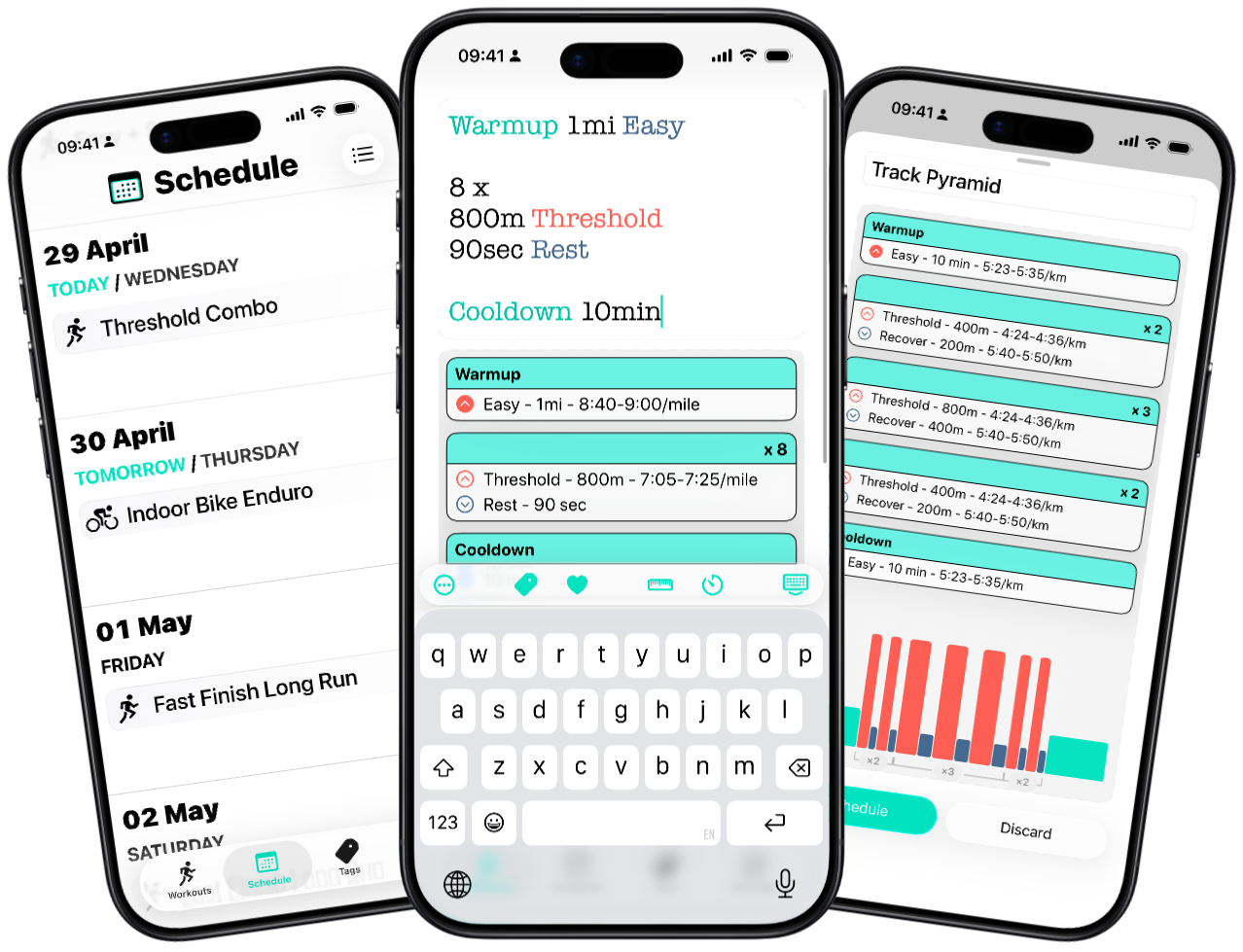
Write your workout in plain text, preview the structure instantly, then send it to Apple Watch or Garmin Connect.
Three fast steps from idea to your wrist.
Describe your workout in plain text.
Review the workout preview and tweak details in seconds.
Send it to Apple Watch or Garmin Connect, then go!
Activity image placeholder
Built for runners and cyclists
Describe the session the way you'd say it out loud. Workout Writer structures it, lets you sanity-check every step, and sends it straight to your watch.
Yes. You can send structured workouts to Apple Watch and Garmin Connect. If you need help getting set up, see How to send workouts to Apple Watch and How to send workouts to Garmin Connect.
Not yet. Right now the focus is Apple Watch and Garmin, but support for more brands is planned. You can check the Device support matrix and vote on our Feature Request board.
Not yet. Workout Writer is currently focused on iPhone and Apple Watch, plus Garmin integration. For the latest status, see Platform support and Android status, and vote on our Feature Request board.
Tags are reusable effort targets, like an easy pace, a heart-rate zone, or a power range. Update the tag once as your fitness changes, then reuse it across your workouts. See Tags explained.
Yes. You can reuse a workout, tweak the details, update any tags, and send it again without rebuilding the whole thing from scratch. See Tags explained.
Yes. You can share workouts by URL or QR code so the destination device can open the workout directly in the app. If you prefer, you can also send the workout as plain text. Workout Writer also gives you several ways to style the workout text or QR code for sharing, including placing it on a photo or coloured background.
Yes. Workout Writer works well for coaches and clubs who want to build sessions quickly, reuse them, and share them with athletes. See For coaches and clubs.
Yes. Workout Writer can use Google Gemini to help generate running and cycling workouts, and you can also schedule AI workouts with Quick Add. See AI workout generation.
No. The app parses your workout text directly, so you can see the structure update as you type and get the same result from the same wording every time. AI is available separately if you want help coming up with workout ideas. See AI workout generation.
Yes. You can use metric units, and Workout Writer can also convert workouts created with a different unit system. See Units and unit conversion.
Yes. Miles and other imperial units are supported, and Workout Writer can convert workouts created in metric too. See Units and unit conversion.
No. Just describe the session in plain text and Workout Writer will structure it for you. For repeat and interval examples, see Repeats & blocks and Workout syntax cheatsheet.
Yes. You can preview the workout, make quick changes, and send it when you are happy with it. See Your first workout and Comments.