Create a workout from selected text
If someone sends you a workout in a message, group chat, website, or training plan, you can send the selected text straight to Workout Writer.
This is useful when the workout already exists as text and you do not want to copy, paste, and rebuild it step by step.
What is a Share Extension?
On iPhone and iPad, a Share Extension is a small part of an app that appears in the iOS Share Sheet.
Despite the name, it is not only for sharing something with other people. A Share Extension can also take selected data from another app, such as text, an image, or a URL, and let another app do something useful with it.
For Workout Writer, the Share Extension lets you take workout text from somewhere else and turn it into a structured workout.
Quick steps
- Find the workout text in a website, WhatsApp, Messages, Mail, Notes, or another app.
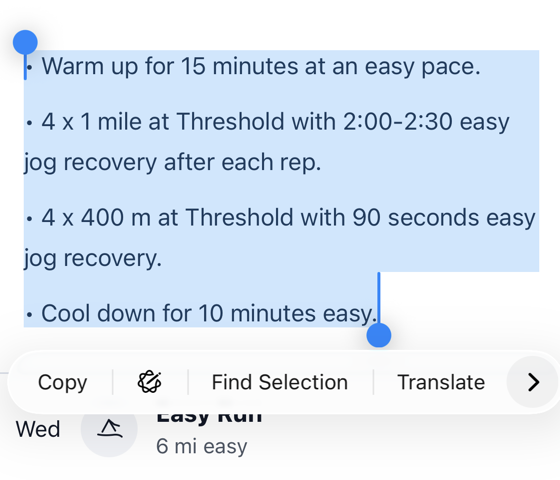
- Select the text of the workout.
- Tap the chevron button, then choose Share....
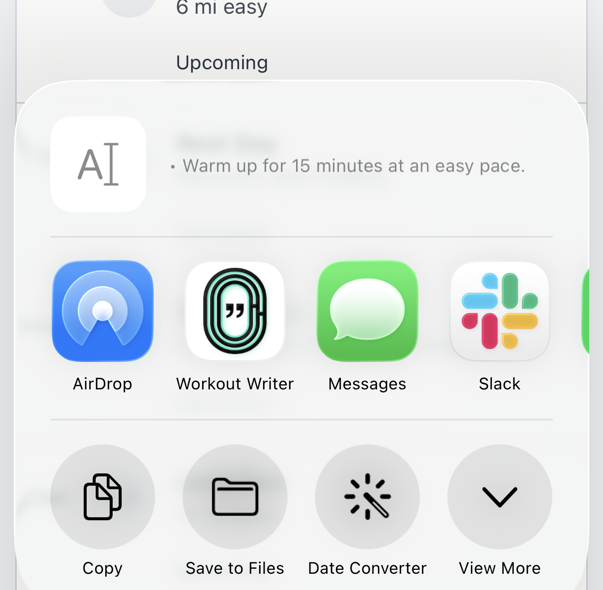
- Select Workout Writer from the share menu. If you do not see it, see If Workout Writer is not listed.
- Workout Writer will open and create a workout from the selected text.
- Review the workout preview.
- Edit the workout manually if needed.
- Save the workout, or schedule it on your watch straight away.
If Workout Writer is not listed
If you do not see Workout Writer in the share menu:
- Scroll to the end of the app row.
- Tap More.
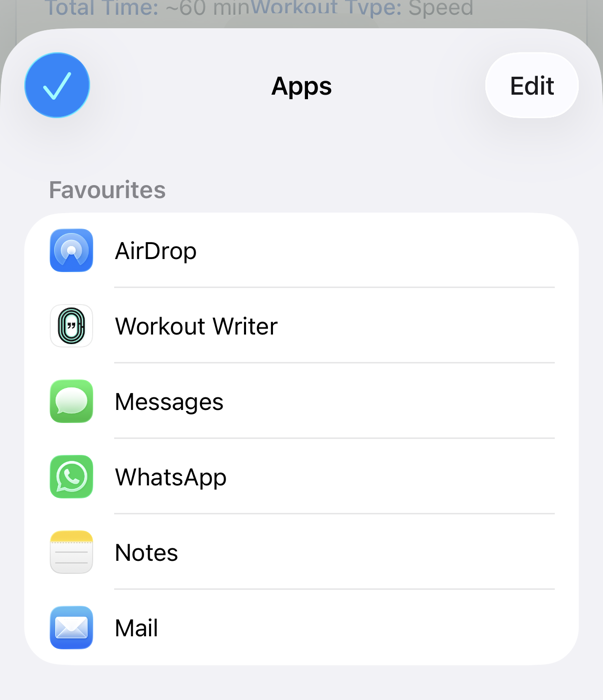
- Tap Edit.
- Enable Workout Writer.
- Drag Workout Writer near the top of the list so it is easier to find next time.
After that, go back to the share menu and select Workout Writer.
If the text does not format correctly
Workout Writer works best when the selected text already looks like a workout, for example:
Warmup 10 min Easy
5 x 3 min Threshold, 2 min Easy
Cooldown 10 min EasyIf the original text is messy, informal, or written in a style Workout Writer does not recognise yet, tap the AI sparkles button.
The AI helper can adapt the selected text to match your tags and the structure Workout Writer expects. You can then review and edit the result before saving or sending it.